DiHiPa

CellXapps · Pathology

The whole cohort on one slide, one field, one magnification.

DiHiPa is an institutional platform for digital histology and pathology. A professor drives a whole-slide image and the room follows — a seminar of twelve or a lecture stream of several hundred — annotating the same tissue, graded on where they clicked, with the case carrying straight through to a tumour board afterwards. One system, your server, no per-seat licence.

Self-hosted · scales horizontally · OIDC + LTI 1.3 · six interface languages
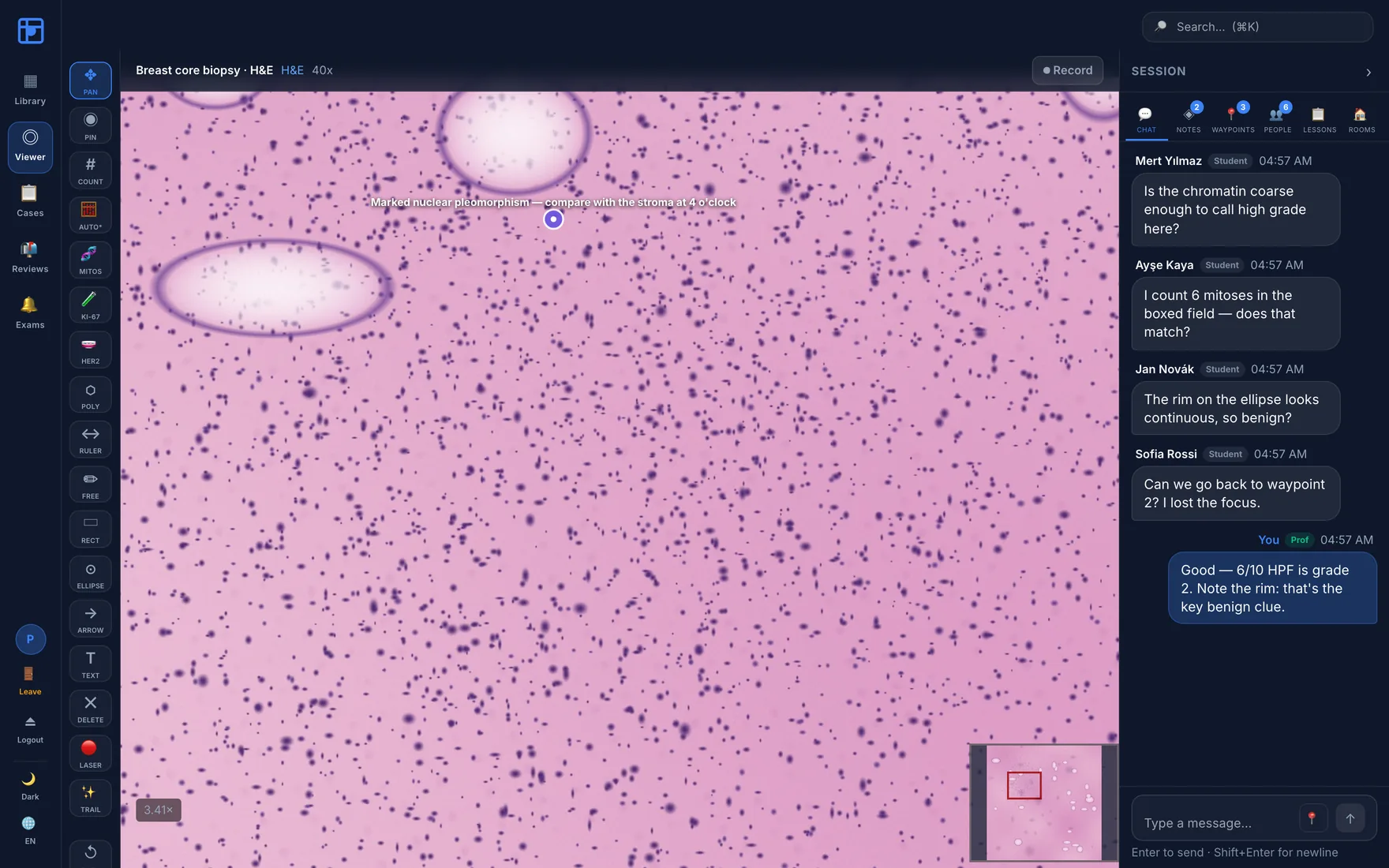
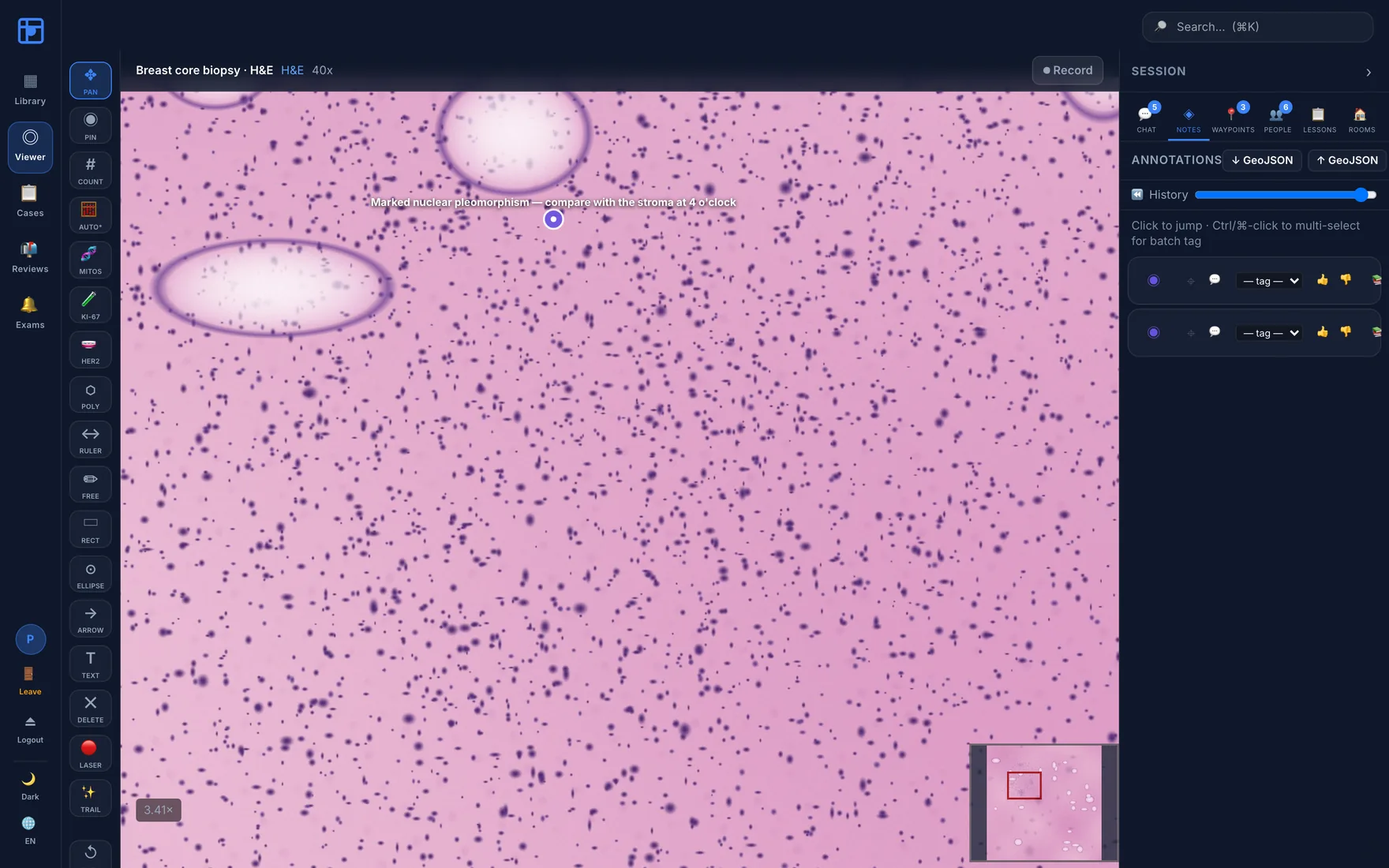
DiHiPa slide viewer: an H&E whole-slide image at 3.41× with an annotation pin reading 'Marked nuclear pleomorphism', a full annotation tool rail, and a live student chat panel.
Live teaching session · annotation pinned on the lesional focus, six students connected, discussion in the side panel, navigator inset bottom-right.
Hundreds / class
Students in one live session
Many at once
Parallel classrooms & case rooms
Thousands / deployment
Concurrent users, sized to your hardware
0 per-seat fees
Self-hosted, your hardware
The landscape

Three kinds of tool exist. None of them is a classroom.

Departments usually end up paying for two systems and improvising the part that matters — the teaching. Here is where the market sits, and where DiHiPa deliberately does not.

Enterprise clinical suites

Scanner-vendor image management & diagnostic viewers

  • Built for clinical diagnostic image management and scanner/PACS ecosystems
  • Procured through hospital IT on custom quotes and long deployments
  • Teaching, if present, is a secondary viewer feature

Vendor-hosted teaching clouds

Slide-sharing portals with education tiers

  • Genuinely education-oriented, quick to start, large public slide libraries
  • Vendor-hosted — your slides and your cohort's activity live on their infrastructure
  • Licensing scales with the institution, not with your hardware

Open-source analysis tools

Desktop and web image-analysis software

  • Outstanding image analysis — typically desktop applications
  • Some add web viewing and collaborative annotation
  • No synchronous lecture, no assessment engine, no sign-out workflow

DiHiPa instead

The teaching session is the product, not an afterthought

Everything below exists because a department asked for it and no single tool provided it. This is the list to take into a comparison meeting.

  • Assessment that grades geometry. Click-region and draw-region questions scored by overlap with the professor's region — not multiple choice about a screenshot.
  • Anti-peek reveal. In a crowded room nothing hinting at correctness renders until the professor dismisses the question. One reveal moment, private per-student results.
  • A real synchronous classroom. Viewport follow, laser pointer, waypoint tours, breakout rooms, WebRTC voice, full session recording and replay.
  • Diagnostic case review in the same system. Multi-slide bundles, synoptic reports, sign-out with amendments, append-only MDT decision log.
  • Self-hosted by default. Slides, annotations and student activity never leave your instance — the answer to the data-governance question before it is asked.
  • Native to your LMS and IdP. LTI 1.3 launches from Canvas, Moodle or Blackboard; OIDC single sign-on with role mapping; CSV/XLSX roster import.
  • Open at the edges. GeoJSON annotation exchange, FHIR and HL7 v2 interfaces, DICOMweb retrieval, S3-compatible archival.

The categories above describe common product architectures in this market, not any specific vendor. Capabilities vary and evolve — evaluate any shortlist against current vendor documentation.

Four jobs, one platform

Built for how a pathology department actually works.

Most digital-pathology tools do one of these and force you to bolt on the rest. DiHiPa treats the teaching session, the exam, the diagnostic case and the administration as one continuous workflow over the same slides.

🔬

Teach live

Synchronised viewport, laser pointer, waypoint tours, breakout rooms, voice and recording.

Assess precisely

Click-region questions scored by overlap with the correct region — not multiple choice about a picture.

📋

Review cases

Multi-slide bundles, synoptic reports, sign-out with amendments, append-only MDT decision log.

🛡

Run it safely

Hash-chained audit trail, per-slide tile authorisation, two-person deletion, SSO and LTI.

Live teaching

The whole cohort on the same field of view.

A microscope session used to mean one person at the eyepiece describing what everyone else couldn't see. DiHiPa broadcasts the professor's viewport — pan, zoom, pointer, annotations — to every connected student in real time, and gives the professor the controls to hand that focus back.

Presence & follow

Everyone visible, anyone followable

The participant rail shows who is in the room and what role they hold. Students can follow the professor with one click; in collaboration mode they can follow each other, and in teaching mode a peer becomes followable once the professor grants them the microphone.

  • Follow mode — viewport sync at 3 Hz, broadcast to the room
  • Teaching lock — freeze exploration during an explanation
  • Hand-raise queue with a three-speaker microphone cap
  • Free-exploration phase — student annotations stay private until shared
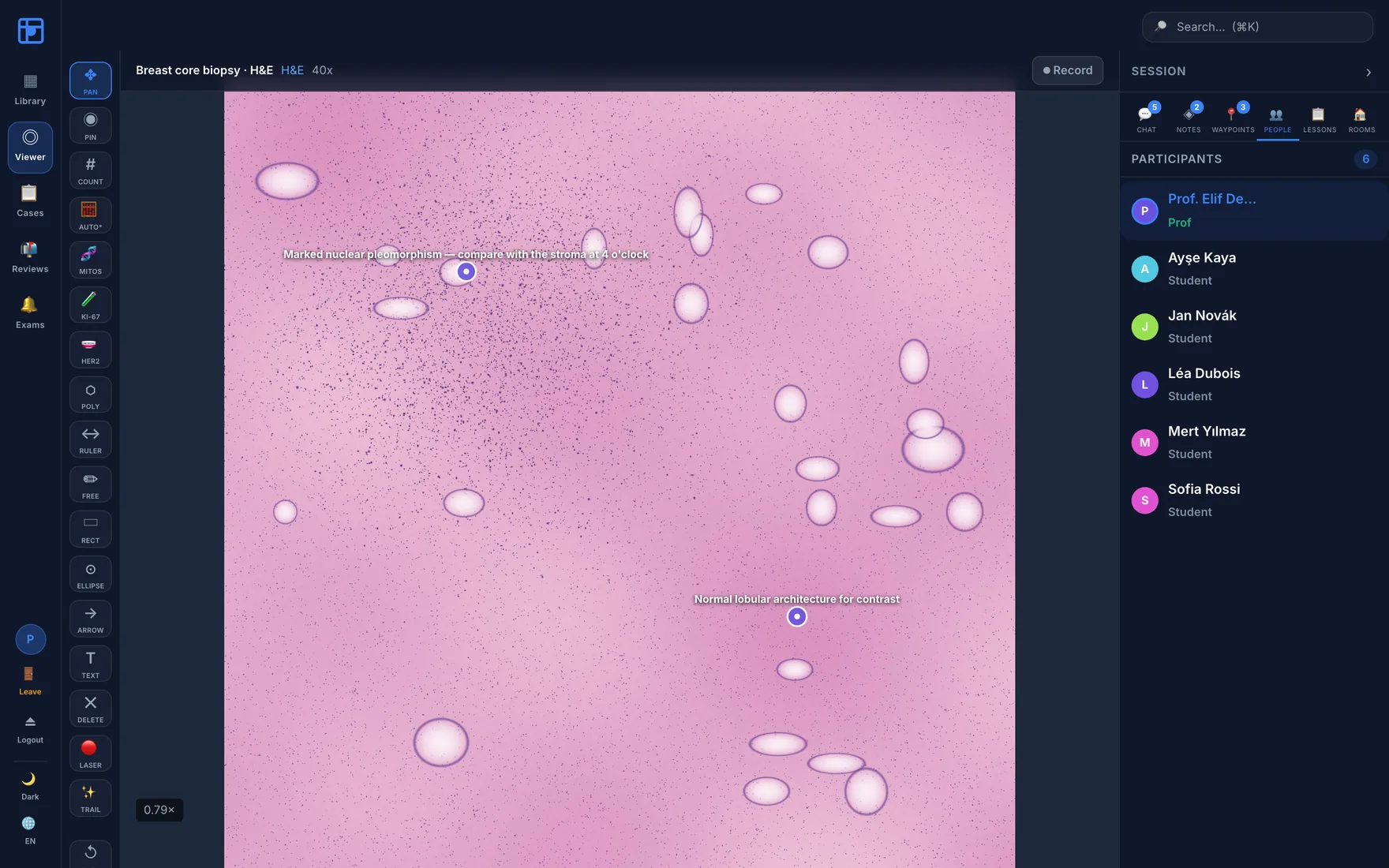
Participants panel listing the professor and five students with role badges and per-row Follow buttons.

Guided navigation

Waypoint tours instead of "can you find it?"

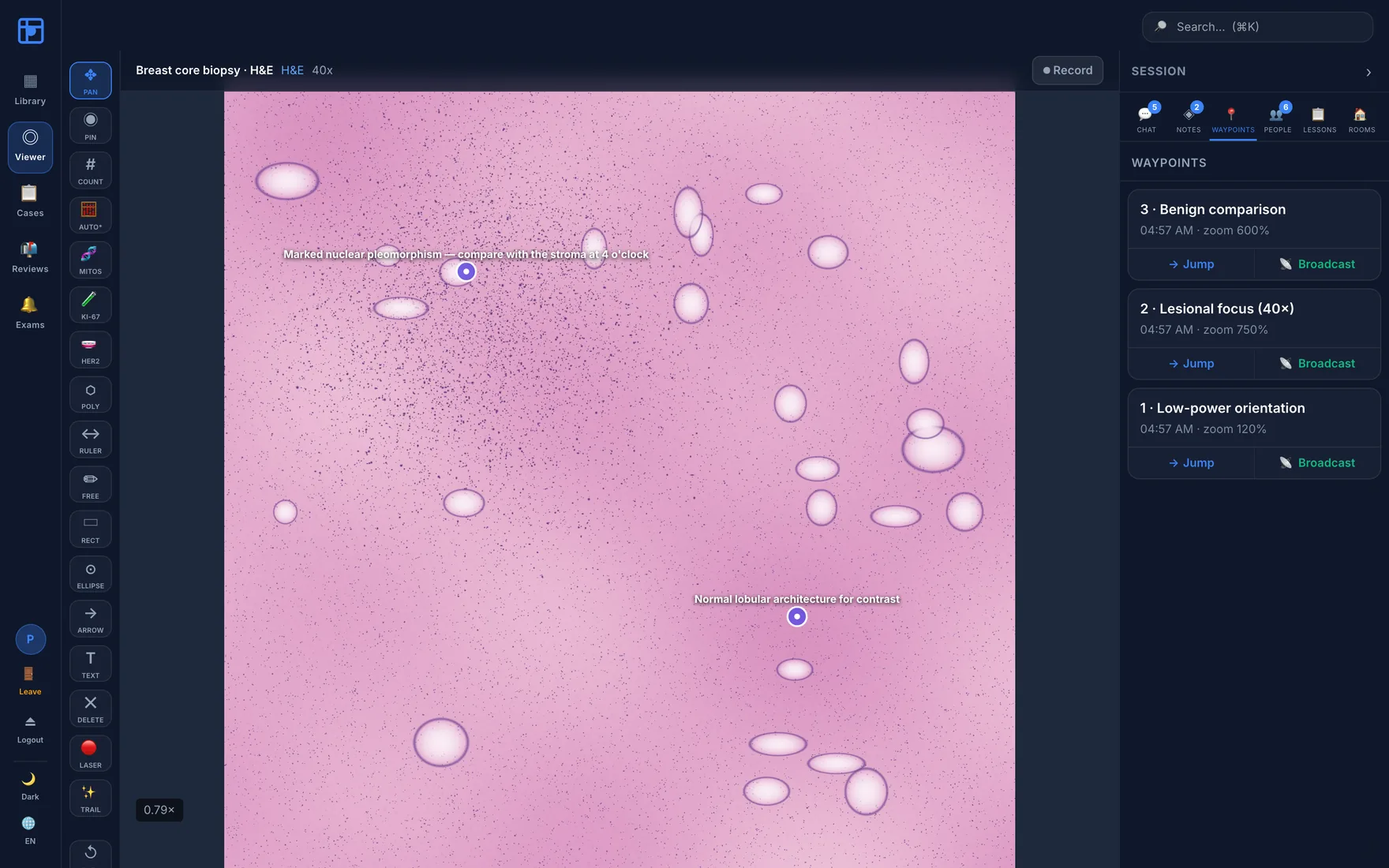
Save the fields that matter — low-power orientation, the lesional focus at 40×, the benign comparison — as named waypoints. Jump to one yourself, or broadcast it so the whole room lands on the same coordinates and magnification simultaneously.

  • Named waypoints with stored zoom and position
  • Jump privately or Broadcast to every student
  • Reusable across sessions as a lesson template
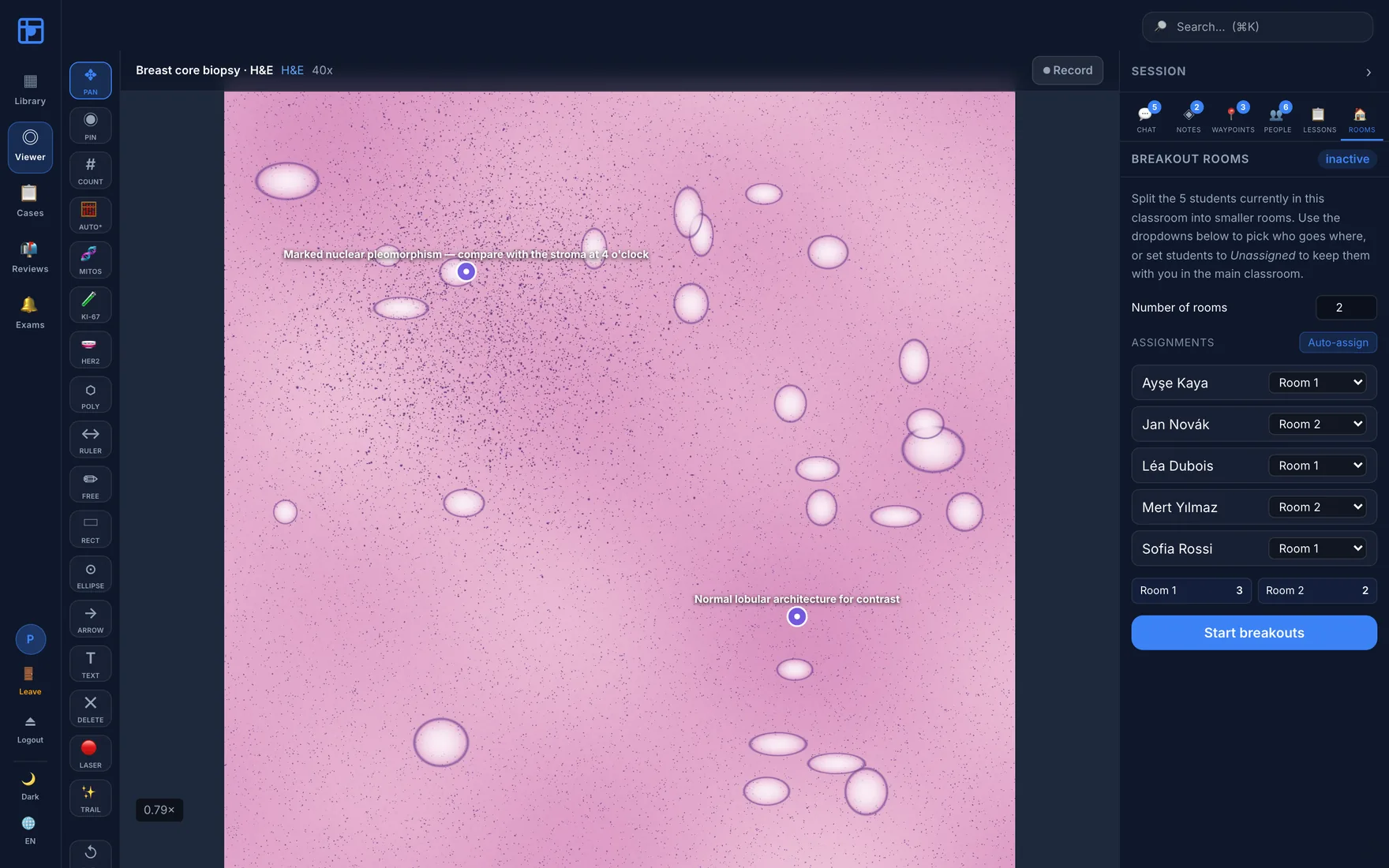
  • Breakout rooms with automatic or manual assignment
Waypoints panel with three saved fields, each offering Jump and Broadcast actions.
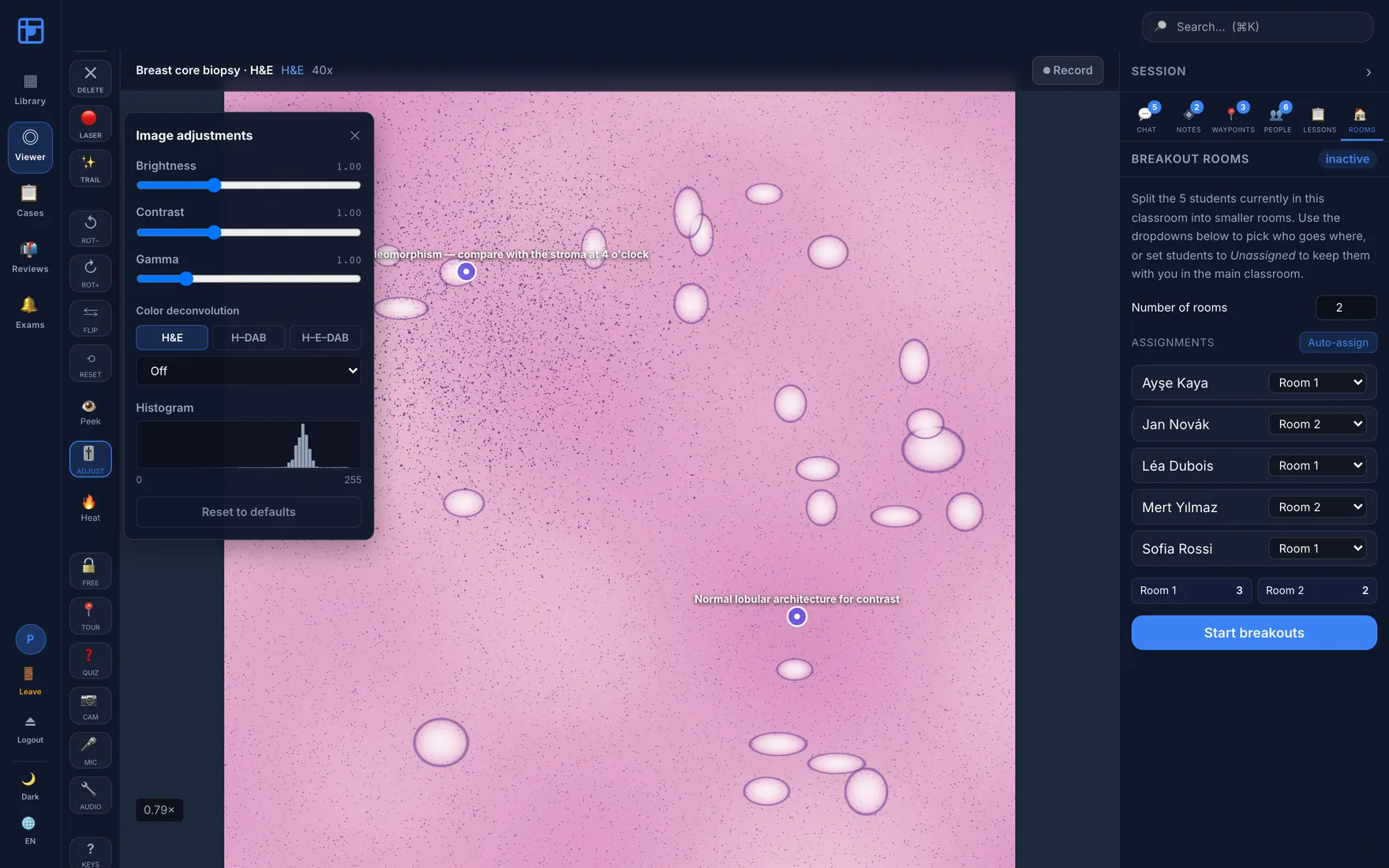
Breakout rooms manager assigning five students across two rooms.
Breakout roomsSplit the cohort into small rooms, auto-assign or place students by hand, then end all rooms and pull everyone back.
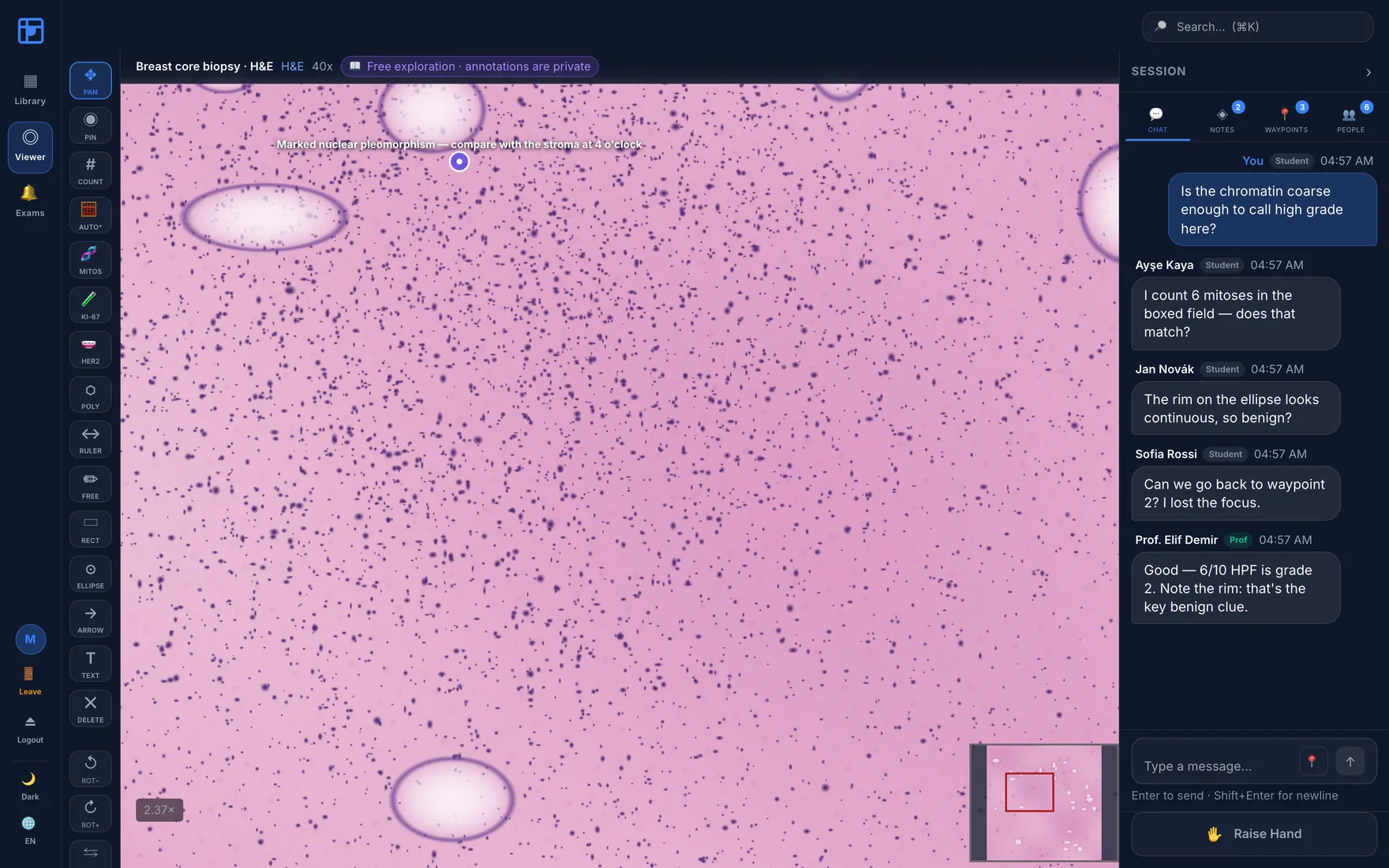
Student view of a session showing the free-exploration badge and a Raise Hand button.
The student's sideFree-exploration badge, private annotations, raise-hand to request the microphone — the same slide, a different set of powers.

Annotation & measurement

Marks that carry meaning, not just ink.

Every annotation is a typed object with an author, a category and real image coordinates — so the same mark that explains a feature in a lecture can be counted in a study or exported for analysis.

A full drawing rail, plus the counts you actually report

Pins, rectangles, ellipses, polygons, freehand, arrows, text labels and a calibrated ruler. On top of that: counting tools and IHC scoring workflows built around the numbers that go into a report.

  • IHC scoring — Ki-67 index, HER2, ER/PR, mitotic counts per high-power field
  • ROI categories — tumour, stroma, necrosis, normal, artifact, by keyboard
  • GeoJSON import/export — open-format round-trip with downstream analysis
  • Curriculum approval queue for student-authored annotations
Annotations panel with visibility controls and GeoJSON import and export buttons.

Stain-aware image adjustment, computed on the GPU

Brightness, contrast and gamma with a live histogram and clipping warnings — plus colour deconvolution that separates haematoxylin from eosin or DAB, so a faint nuclear signal can be read without re-scanning the slide.

  • H&E and H-DAB deconvolution presets, per-channel isolation
  • Live histogram with highlight and shadow clip percentages
  • WebGL shader pipeline — adjustments never alter the stored slide
  • Focus score and tissue-coverage QC computed at import
Image adjustments panel with brightness, contrast and gamma sliders, colour deconvolution selector and a live histogram.

Assessment

Ask them to point at it, then grade where they pointed.

A multiple-choice question about a photograph tests recall. A click-region question tests whether a student can actually find the mitotic figure — and DiHiPa scores it by geometric overlap with the region the professor drew, on the real slide, at whatever magnification they chose.

Question types

  • Click-region — scored by intersection-over-union
  • Draw-region — student outlines, graded on overlap
  • Short answer — typo-tolerant matching
  • Multiple choice — with distractor analysis

Anti-peek by design

  • Nothing hinting at correctness renders while a question is live
  • Dismissal is the single reveal moment for the whole room
  • Each student gets a private per-answer result
  • Class answer heat-map shows where the cohort clicked

Exams & grades

  • Bell Ringer exams with per-student deadlines
  • Auto-advance and voluntary pause
  • Gradebook with attendance and CSV export
  • Lesson templates that replay a full teaching sequence

Diagnostic case review

From teaching set to tumour board without changing tools.

A case is a bundle of slides with a patient reference, a diagnosis, a worklist position and a history. Collaborators can be invited into a single case without gaining access to anything else, which is what makes cross-institution second opinions practical.

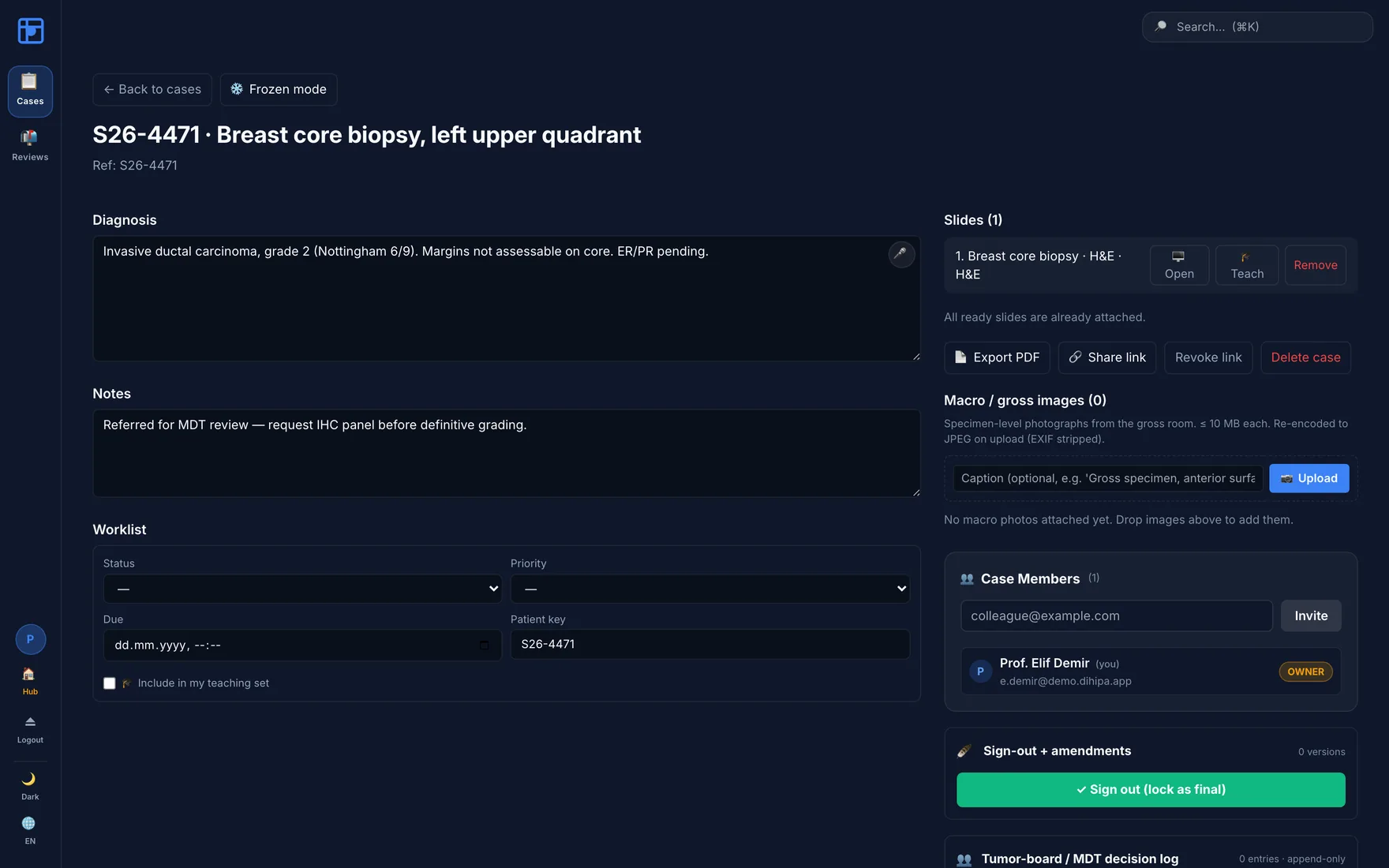
Case detail view for a breast core biopsy showing diagnosis text, notes, worklist status, attached slides, macro image upload, case members, sign-out control and an MDT decision log.
One case, end to end · diagnosis and notes, worklist routing, attached slides, gross/macro photographs, case membership, sign-out with amendments, and an append-only decision log.

A worklist that behaves like a worklist

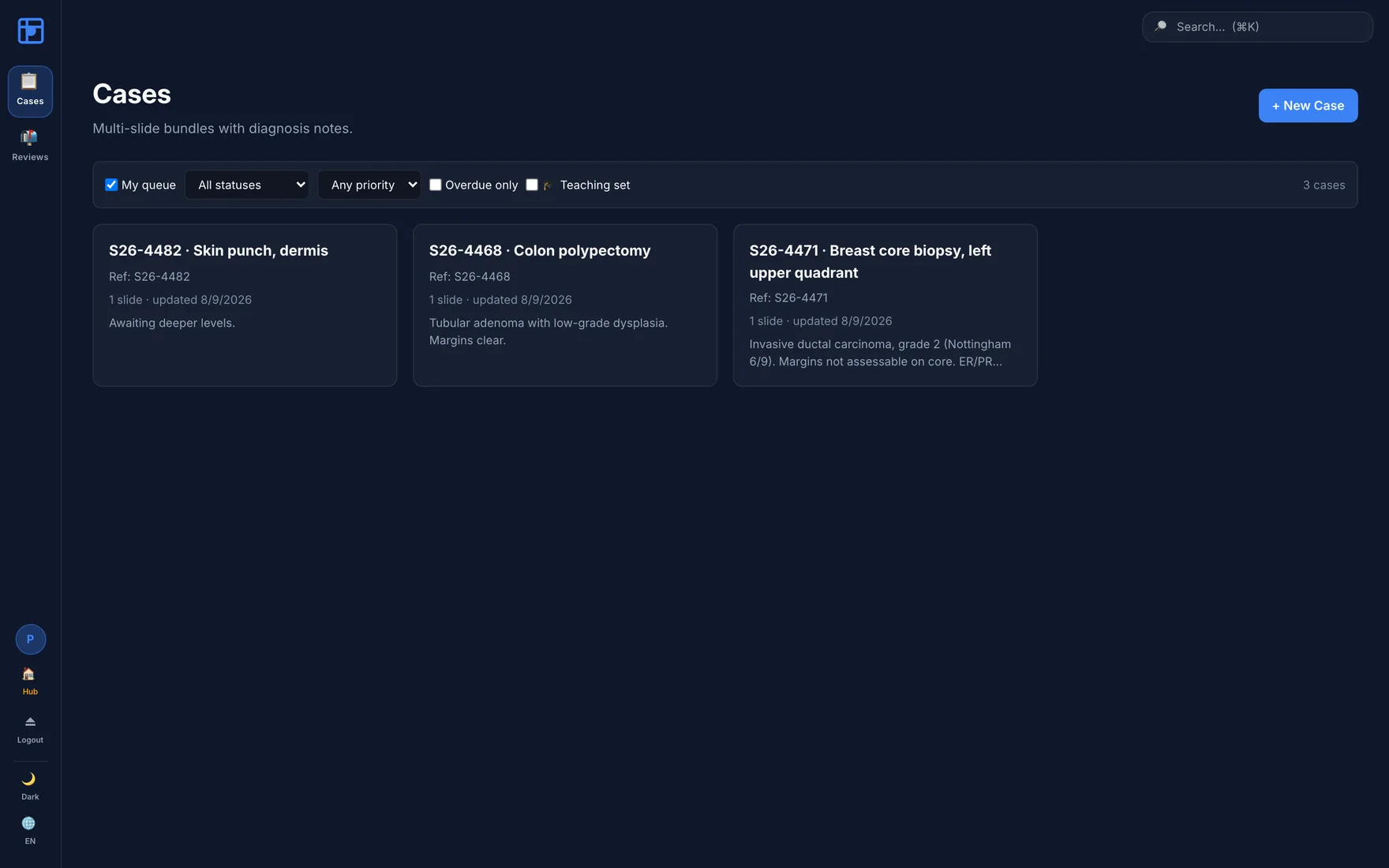
Status, priority, due dates and assignment — filterable to "my queue", overdue only, or the teaching set. The same case can sit in a diagnostic queue and a course reading list at once without being duplicated.

  • Sign-out and amendments with full version history
  • Frozen mode for rapid intraoperative turnaround
  • Synoptic reporting templates with structured fields
  • PDF export and expiring share links for referrals
  • Second-opinion review requests with response tracking
  • Two-person rule on destructive deletions
Cases worklist with three cases showing references, slide counts, statuses and diagnosis summaries.

Platform & imaging

Your scanner output, your server, your identity provider.

Whole-slide imaging

  • Whole-slide formats: .svs, .mrxs, .ndpi, pyramidal TIFF, DICOM
  • OpenSlide-backed import, deep-zoom pyramid generation
  • Tiles served statically with per-slide authorisation
  • Side-by-side slide comparison
  • Macro / gross specimen photographs per case
  • Automatic focus and tissue-coverage QC

Sessions & recording

  • WebSocket real-time bus, multi-worker safe
  • WebRTC voice mesh with speaker cap
  • Full session recording and replay with an event timeline
  • Optional on-device Whisper transcription
  • Attendance records generated from presence
  • Recovery of interrupted sessions and uploads

Identity & roster

  • OIDC single sign-on with role mapping
  • LTI 1.3 — Canvas, Moodle, Blackboard launches
  • CSV / XLSX roster import
  • Cohorts, workspaces, classrooms, invite links
  • Five platform roles with least-privilege defaults
  • Argon2id password hashing, cookie-based sessions

Clinical interoperability

Order-driven workflows and PACS retrieval, so DiHiPa fits an existing laboratory information system instead of asking it to move.

FHIR ServiceRequestHL7 v2DICOMweb / WADO-RSPre-registered PACS credentials

Operations & assurance

Everything a hospital IT review asks about, wired in before the question is asked: a tamper-evident audit trail, metrics, alerting, and documented backup and restore.

Hash-chained audit logPrometheus + GrafanaLoki log pipelineS3 / MinIO archivalBackup & restore runbookCSRF + rate limiting
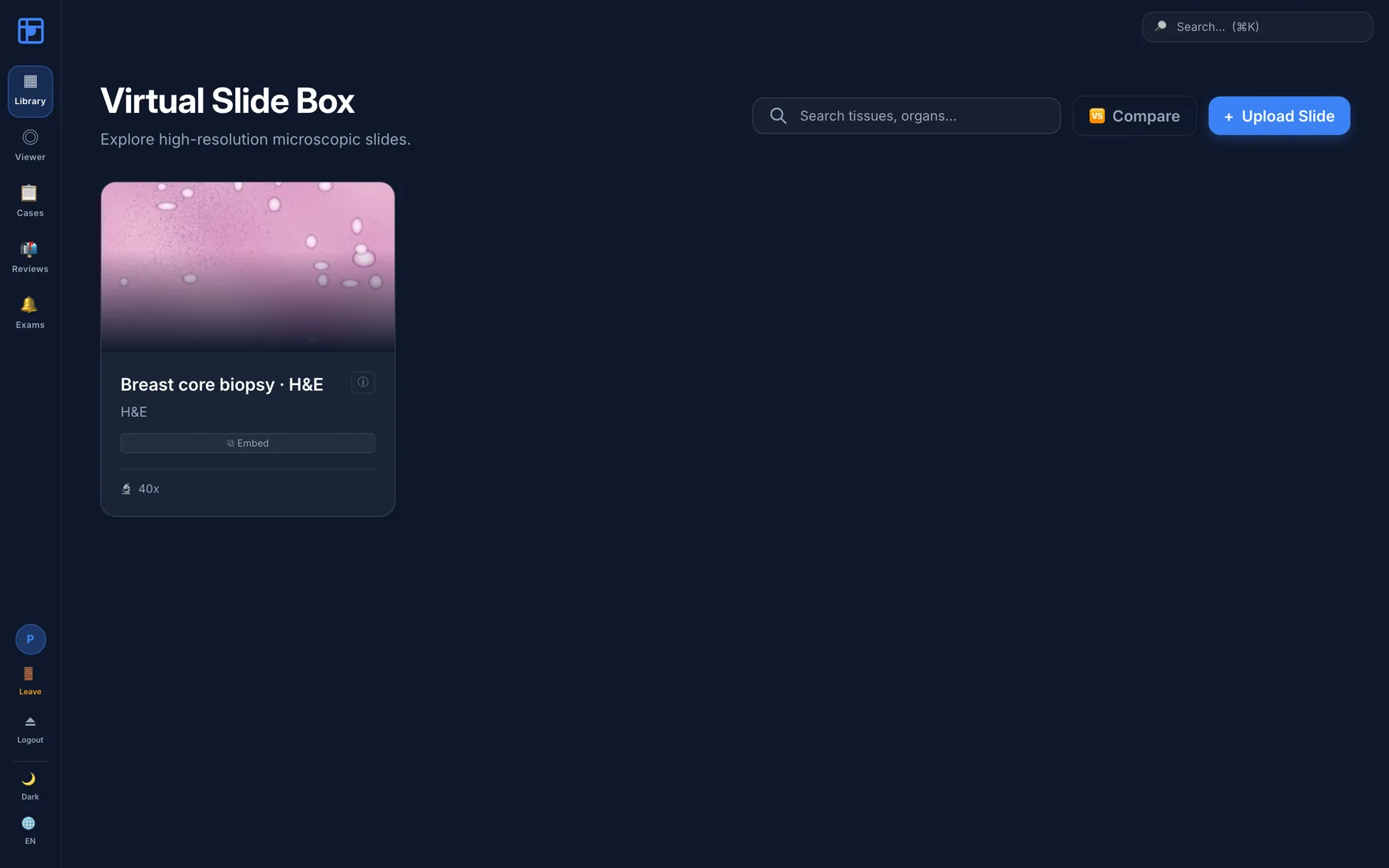
Virtual Slide Box library view with a slide card showing an H&E thumbnail.
Virtual slide boxSearchable library with per-slide QC flags, stain and magnification metadata, embed links and comparison mode.
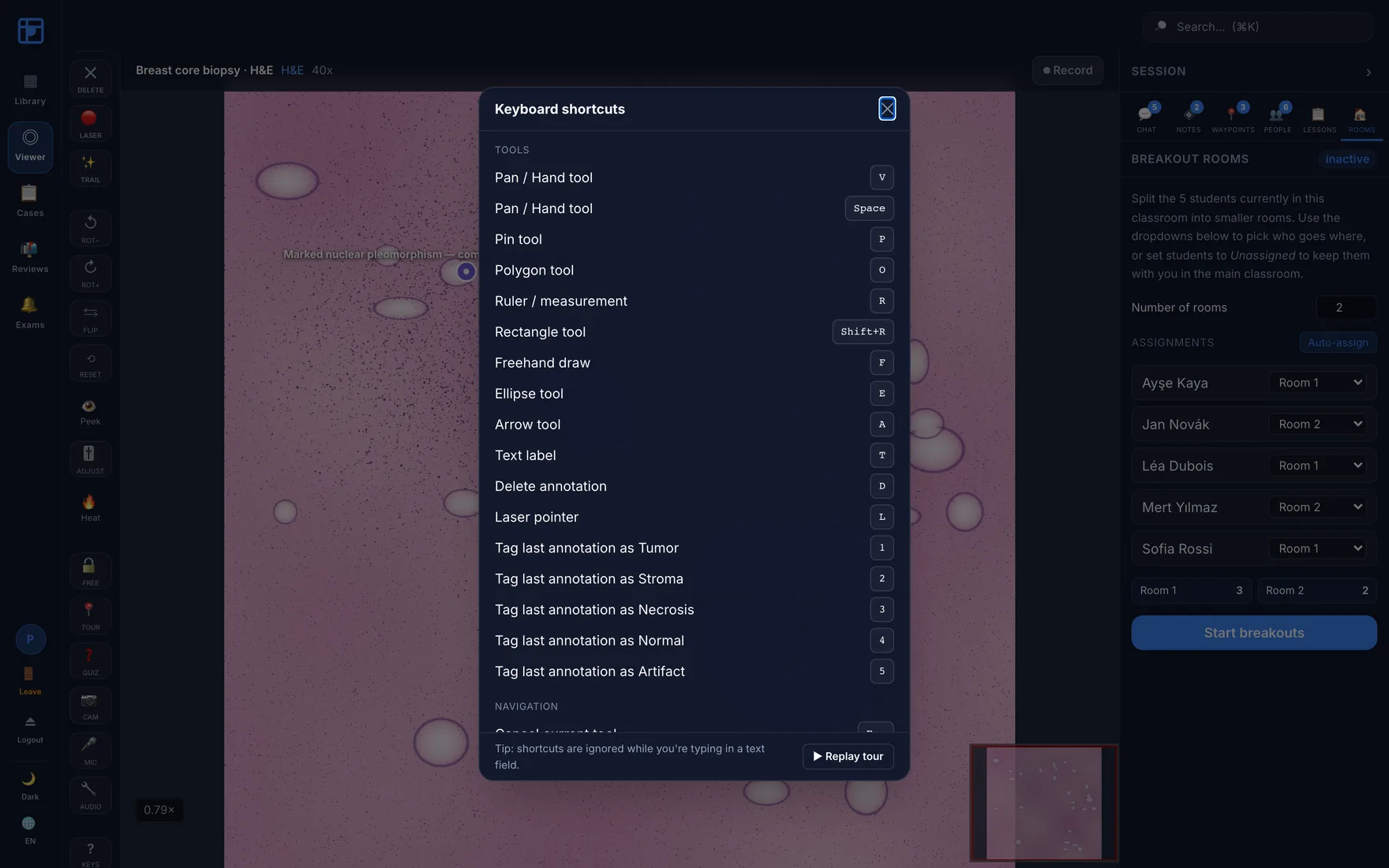
Keyboard shortcuts modal listing tool and navigation shortcuts including ROI tagging keys.
Built for repetitionEvery tool and ROI category has a key. Accessibility is not an afterthought: focus traps, ARIA roles and full keyboard navigation throughout.

Scale & architecture

Built for a department, not a demo.

DiHiPa is designed for institutional load: several lectures running in parallel, each with hundreds of students following the same slide, while diagnostic case rooms are in session alongside them — thousands of concurrent users on one deployment, bounded by the hardware you give it rather than by a licence tier.

Tiles served like a CDN

  • Deep-zoom tiles are static files on disk, served directly by nginx
  • Authorisation is checked once per slide and cached — not per tile
  • Throughput stays flat as a lecture fills; latency degrades gracefully
  • Optional S3-compatible object storage for large libraries

Realtime bus that spans workers

  • Sessions run over a Redis pub/sub bus, not in one process's memory
  • Every worker subscribes once — add workers or nodes and the room still coheres
  • Viewport sync, annotations, quizzes and chat all ride the same bus
  • Independent classrooms and case rooms never contend for one another

Scale the way you already do

  • Stateless application tier — scale out horizontally behind nginx
  • Postgres and Redis are the only stateful components
  • Runs on x86 and ARM; one VM for a pilot, a cluster for a faculty
  • Prometheus metrics and alerting so capacity is observed, not guessed

Concurrency is a function of the hardware behind it. We size the deployment with you during the pilot — from a single modest VM for one course to a multi-node install for a whole faculty — and load-test it against your own cohort numbers before term starts.

Pilot programme

We're placing DiHiPa with a small number of departments.

A pilot runs on a server we provision for you, with your own slides and your own cohort. No per-seat licence, no data leaving the instance, and a direct line to the person who wrote it.

  • 01
    Tell us the teaching you do

    Course size, subspecialty, scanner make, and whether case review matters as much as teaching.

  • 02
    We stand up an instance

    Your subdomain, your roles, your roster imported. Bring de-identified teaching slides.

  • 03
    Run a real session

    One lecture with real students is worth more feedback than any number of demos.

A live instance is already running at dihipa.cellxapps.com — ask for an account and look around before you commit a cohort.